
Favourites
Every feature, in one place.
Launchpad, widgets, workspaces, app shortcuts and Command — the full Favourites toolkit for a better Chrome New Tab.
Launchpad
A little more from every new tab.
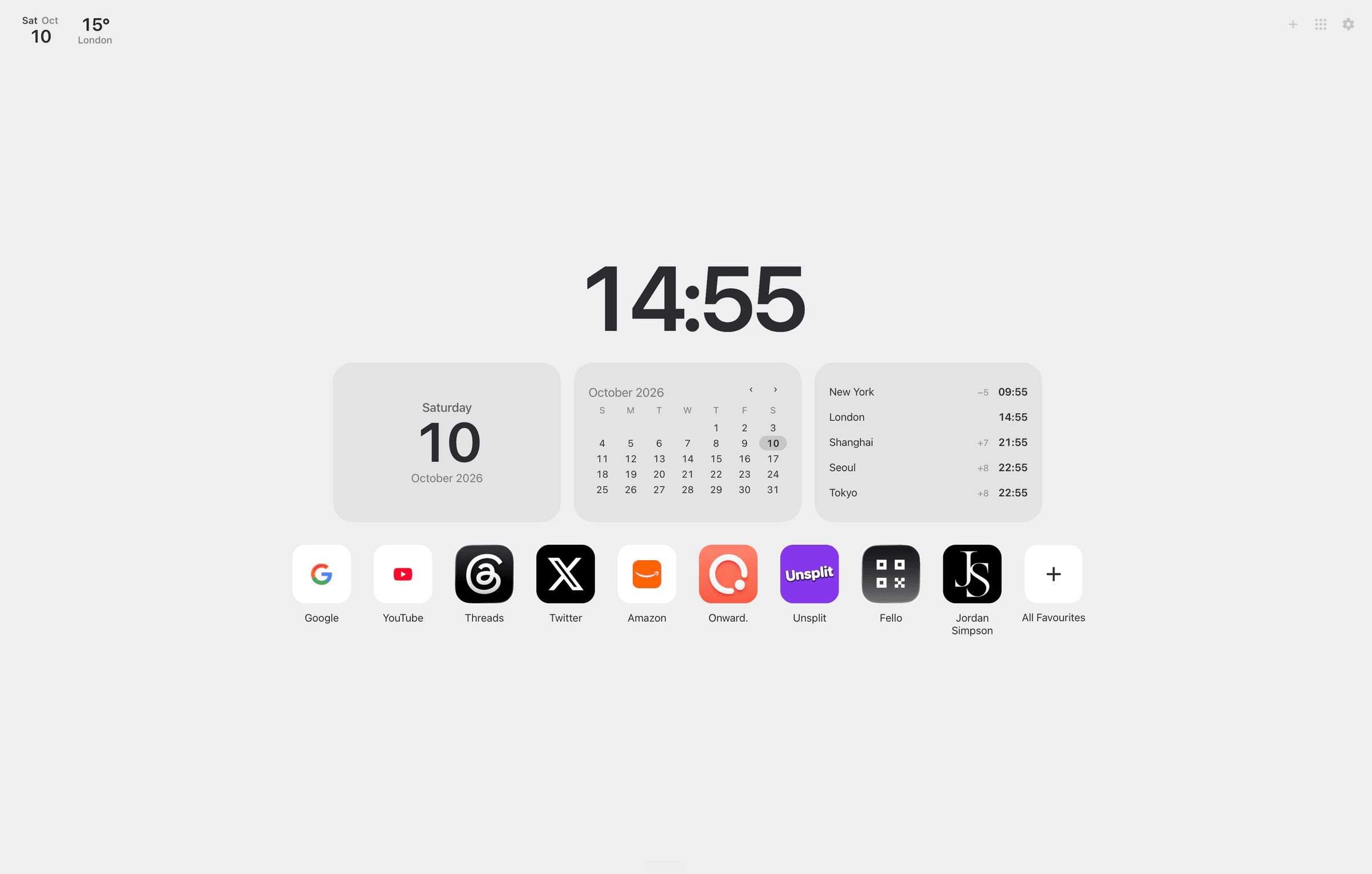
Your favourite websites, the time and optional widgets — a calm personal home the moment Chrome opens.
- A calm home for the sites you open every day
- Clock, weather and widgets when you want them
- Your favourite websites in one clear row
- Switch into Classic Favourites whenever you need the full board
Widgets
Just what you need. Nothing you don't.
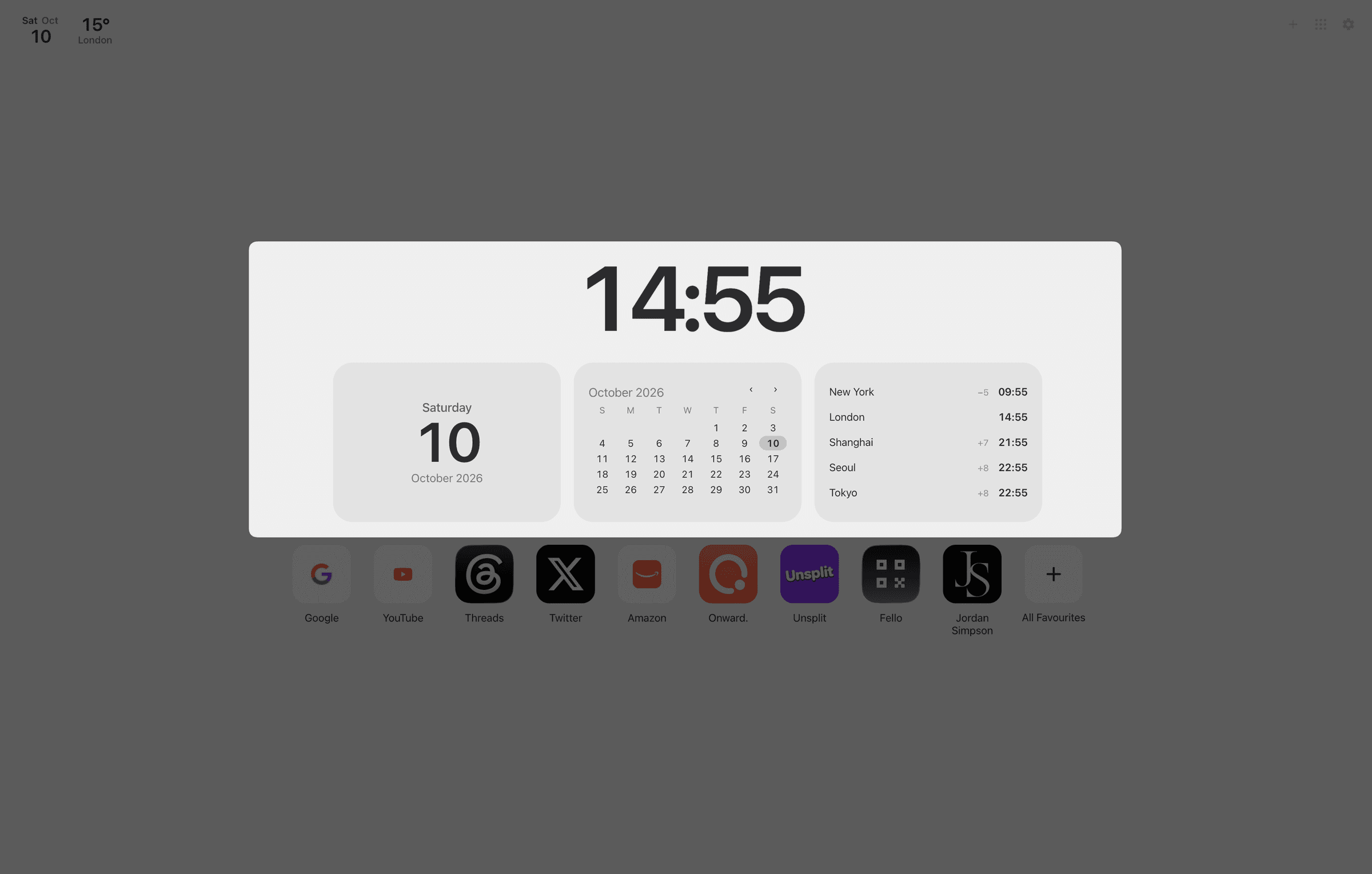
Make your new tab a little more useful with simple, beautiful widgets. Add only the ones you want.
- Date
- Calendar
- World Clock
- Weather
- Date for a clear sense of the day
- Calendar for the month at a glance
- World Clock for the places that matter
- Weather when you choose to enable it
Workspaces
Make space for what matters.
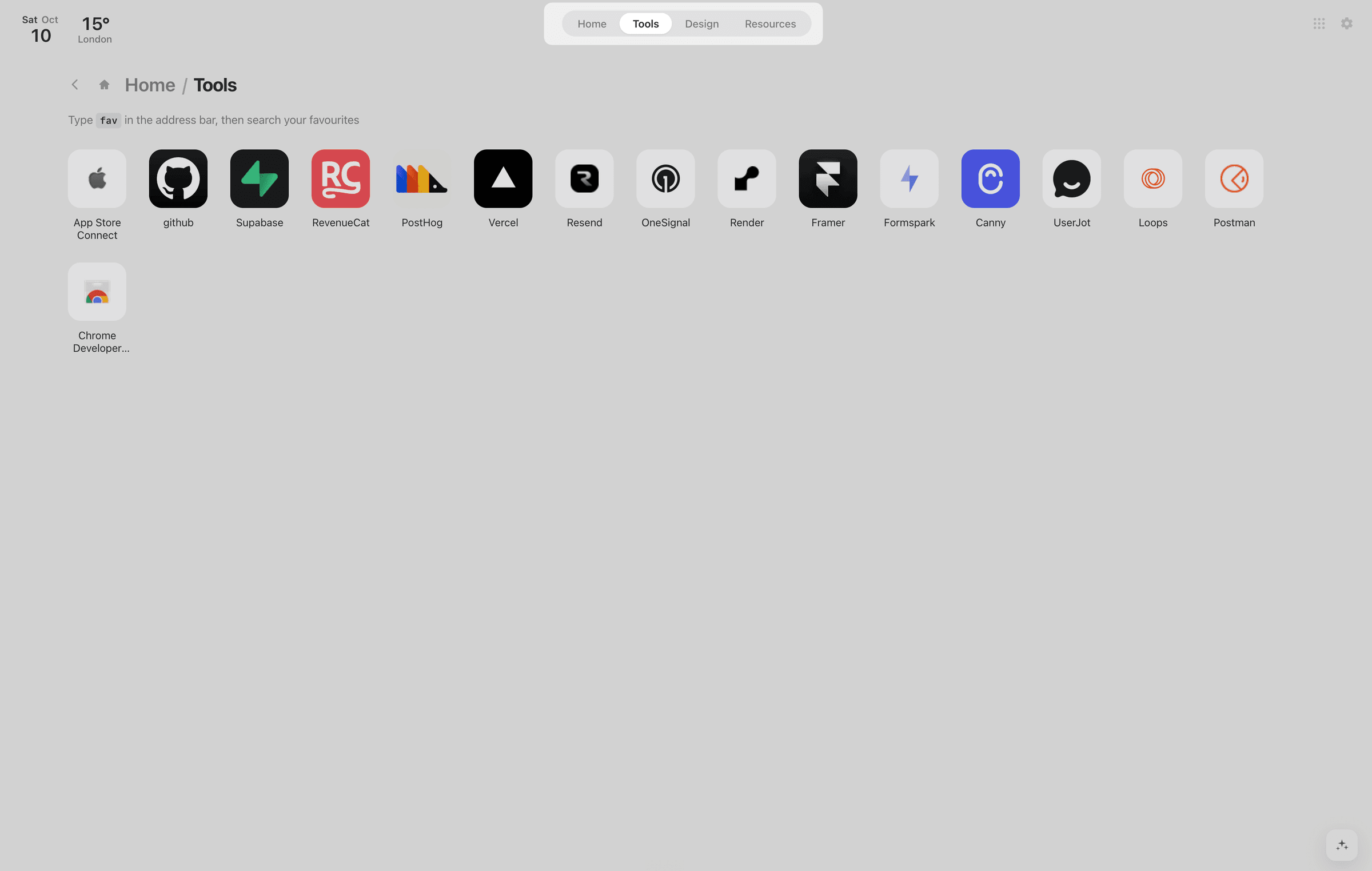
Organise favourite websites into Spaces for work, personal projects or whatever you're focused on — then open them as Chrome tab groups when you need the full context.
- Spaces follow your Chrome bookmark folders
- Switch quickly between work, personal and project collections
- Open a Space as a Chrome tab group
- Keep everyday sites organised without clutter
App shortcuts
Microsoft and Google, one tap away.
Keep the everyday Microsoft 365 and Google Workspace apps beside your bookmarks — so mail, files, meetings and docs never take an extra search.
- Gmail
- Drive
- Calendar
- Docs
- Sheets
- Meet
Microsoft
- Outlook
- OneDrive
- Teams
- Word
- Excel
- PowerPoint
Pin the services you actually use, rearrange them freely and open them from the same New Tab that already holds your favourites.
Command
Everything, a shortcut away.
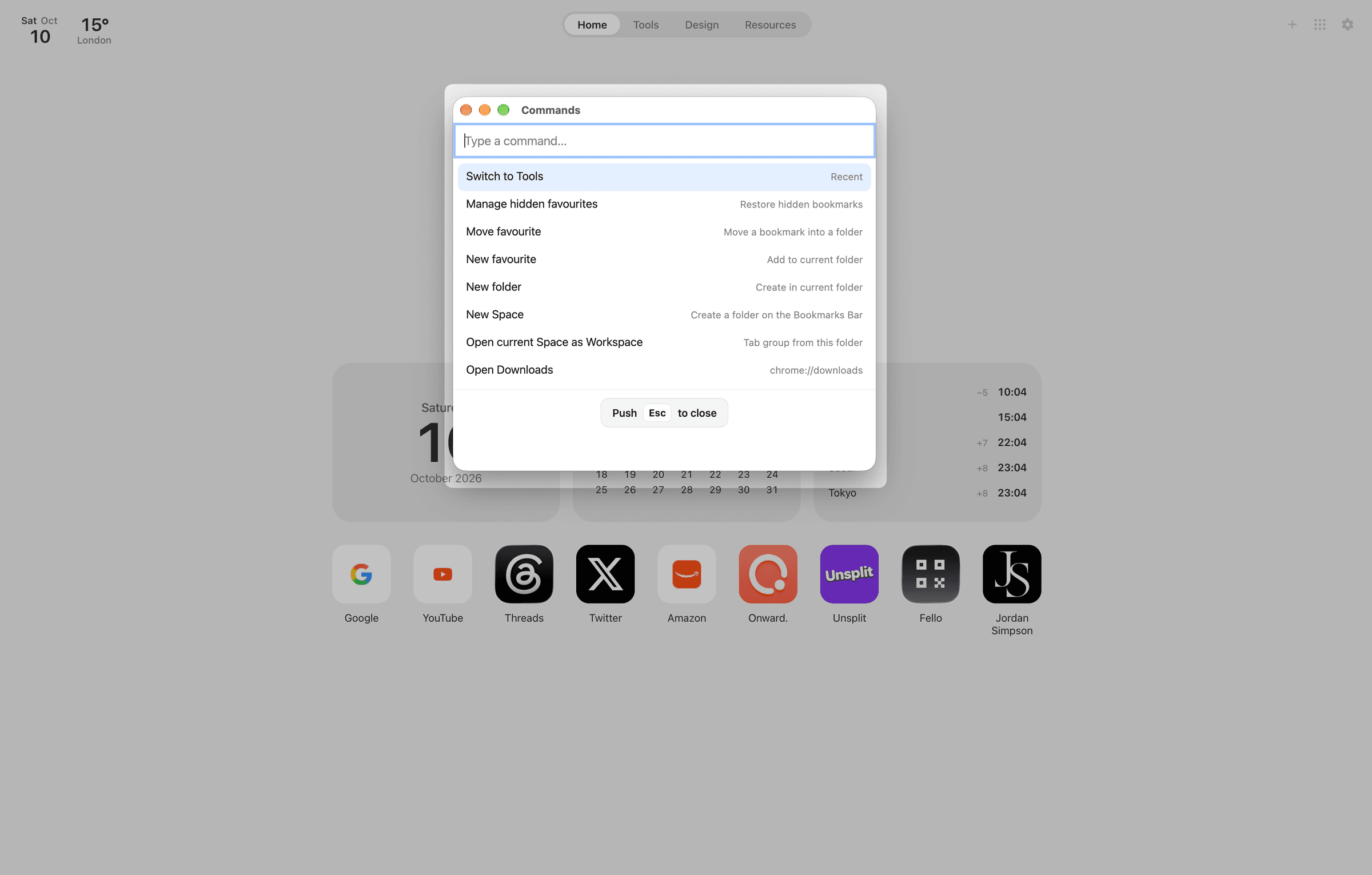
Find bookmarks, jump between folders and save websites without breaking your flow.
Press ⌘K or Ctrl+K and get straight to what you need.
- Search bookmarks instantly
- Jump between folders and Spaces
- Save the current tab
- Run shortcuts without leaving the page
Also included
Classic Favourites, still yours.
Prefer a full board of bookmark sections? Classic Favourites keeps Chrome bookmarks beautifully organised with app-style icons, folders and drag-and-drop.
One extension. Two ways to start — Launchpad for a personal home, Classic for the complete board.
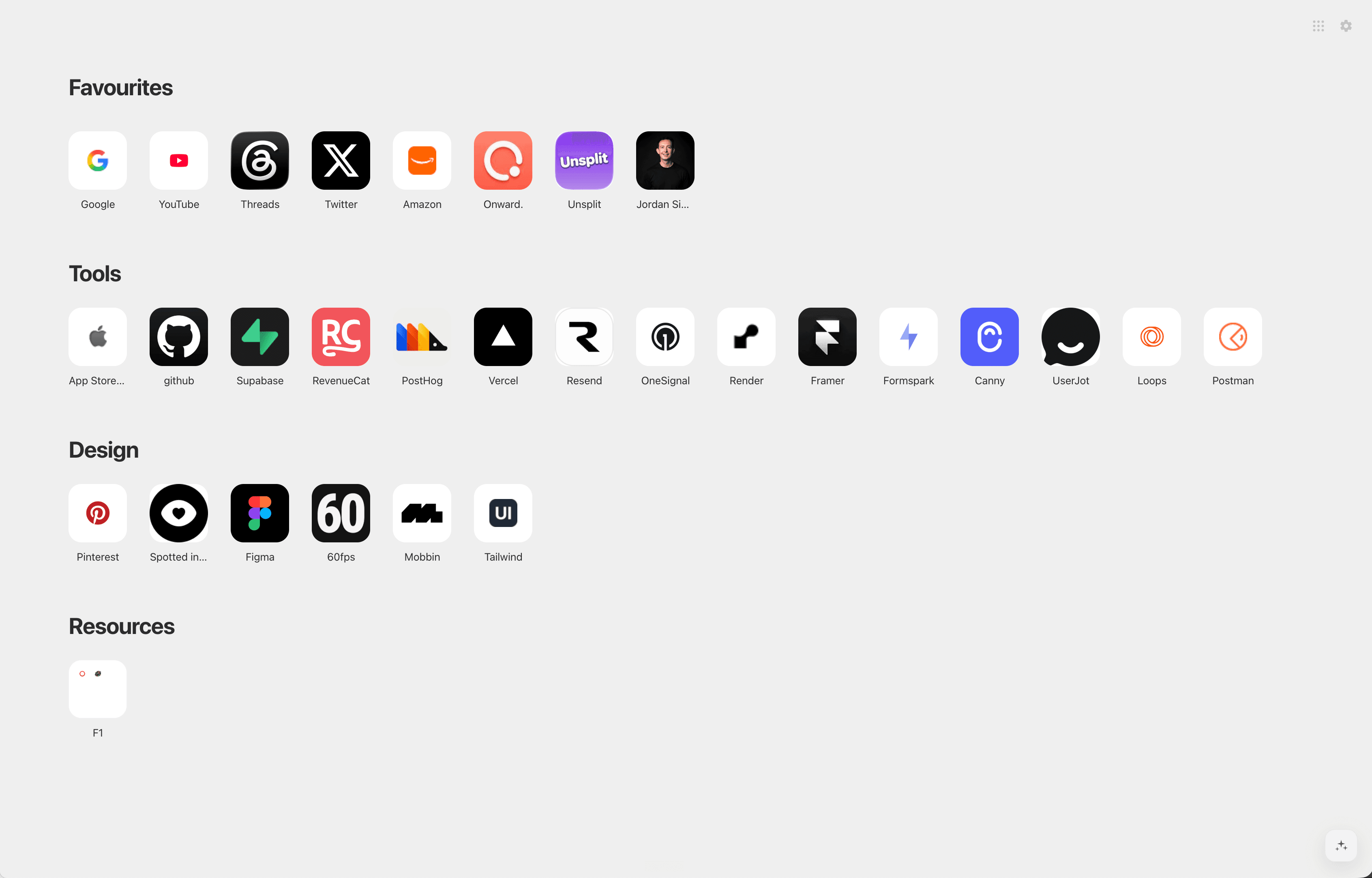
Make every new tab your favourite.
Get Launchpad, widgets, workspaces, app shortcuts and Command in one Chrome extension.
Designed for desktop Chrome · Available on the Chrome Web Store